
What the trend is
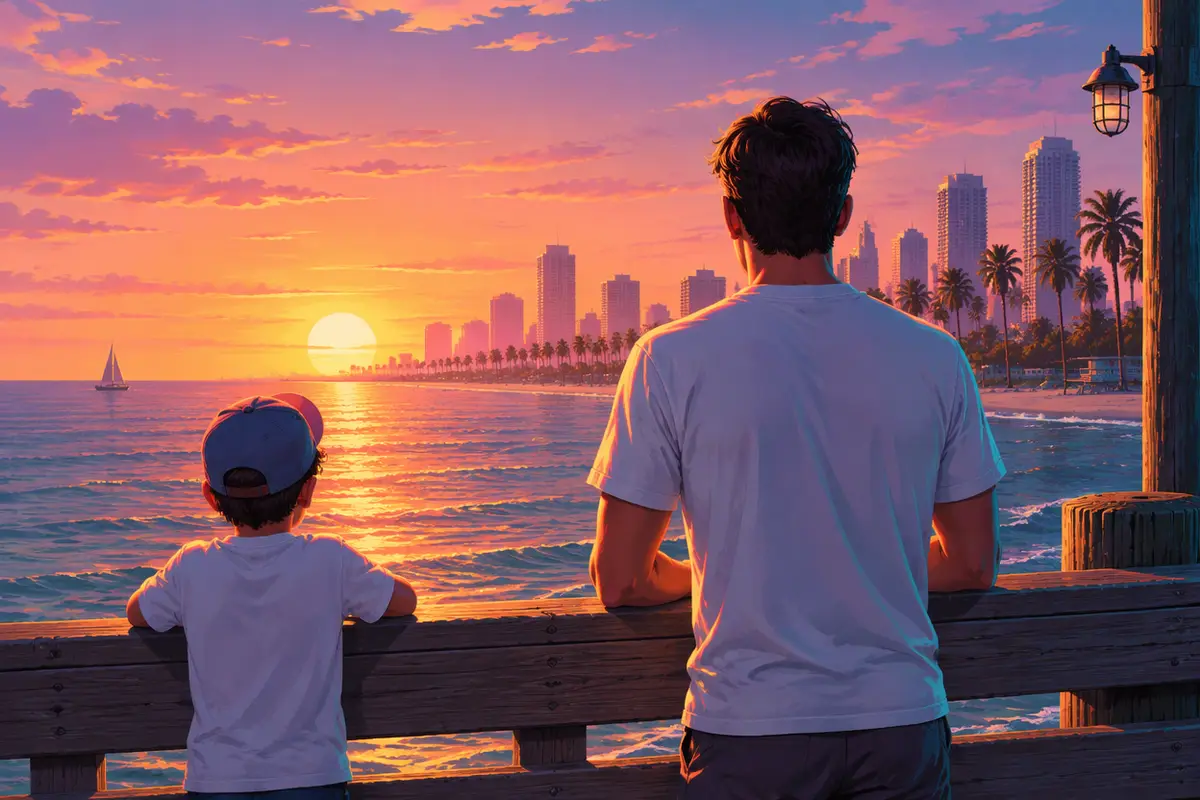
The GTA 5 goodbye trend is a nostalgia video. It sets two moments side by side: 2013, the year GTA 5 came out, and 2026, the year GTA 6 did. In the first half, a child version of the poster walks up to GTA 5's three lead characters on a wooden pier at sunset. In the second half, the grown-up version walks up to them again. The message is simple: I grew up with this game, and now it is time to say goodbye.
It took off in the week of the GTA 6 launch on November 19, 2026, when a whole generation who played GTA 5 as kids was about to move on.
How big it got
A tutorial from @pidan880, posted on November 18, passed 450,000 plays in about two days. In a single day, dozens of accounts were posting their own versions, many of them accounts showing off an app or an AI video tool.
The format spread because it is personal. It is not about the game's story; it is about the person who played it, and how long they have been playing.
How the videos are made
Most versions follow a template: you add a childhood photo and a recent one, and the template places both versions of you on the pier with the game's characters. The finished video always has the same shots, the same timing and the same characters, with you in the middle.
That last part matters. The three characters on the pier are Rockstar's, and they look like the actors who played them. That is why we do not make this exact video on our site: we do not draw any game's characters or real people's likenesses.
How to say goodbye to GTA 5 in your own video
You can make a then-and-now video of your own in the same spirit, with you as the only star:
- Film yourself now. A short clip, up to 10 seconds: walking toward the camera, looking at the sunset, waving goodbye. Golden hour light helps.
- Turn it into GTA 6. On the GTA 6 AI video generator, keep Your video picked and add the clip. It comes back redrawn in GTA 6's look, with your moves and your sound.
- Add the “then”. Put an old photo of you as a kid at the start of your edit, with “2013” over it, then cut to your GTA 6 clip with “2026”.
Prefer to start from photos only? Use the Loading screen template with a recent photo for a clip that turns you into GTA 6 art, or Your idea with up to three photos and a line like “me and my brother on a pier at sunset, Vice City behind us”.
Why GTA 5 meant so much
GTA 5 came out in September 2013 and stayed one of the most played games for over a decade, through new consoles and an online mode that never stopped. Plenty of people who are adults today played it as children. The goodbye trend is their way of marking the end of that stretch and the start of GTA 6.
Is the goodbye trend official?
No. The trend is made by players, and this site is an independent fan tool with no link to Rockstar Games or Take-Two. Whatever you make here is AI-generated: switch on the AI label when you post.