
What the trend is
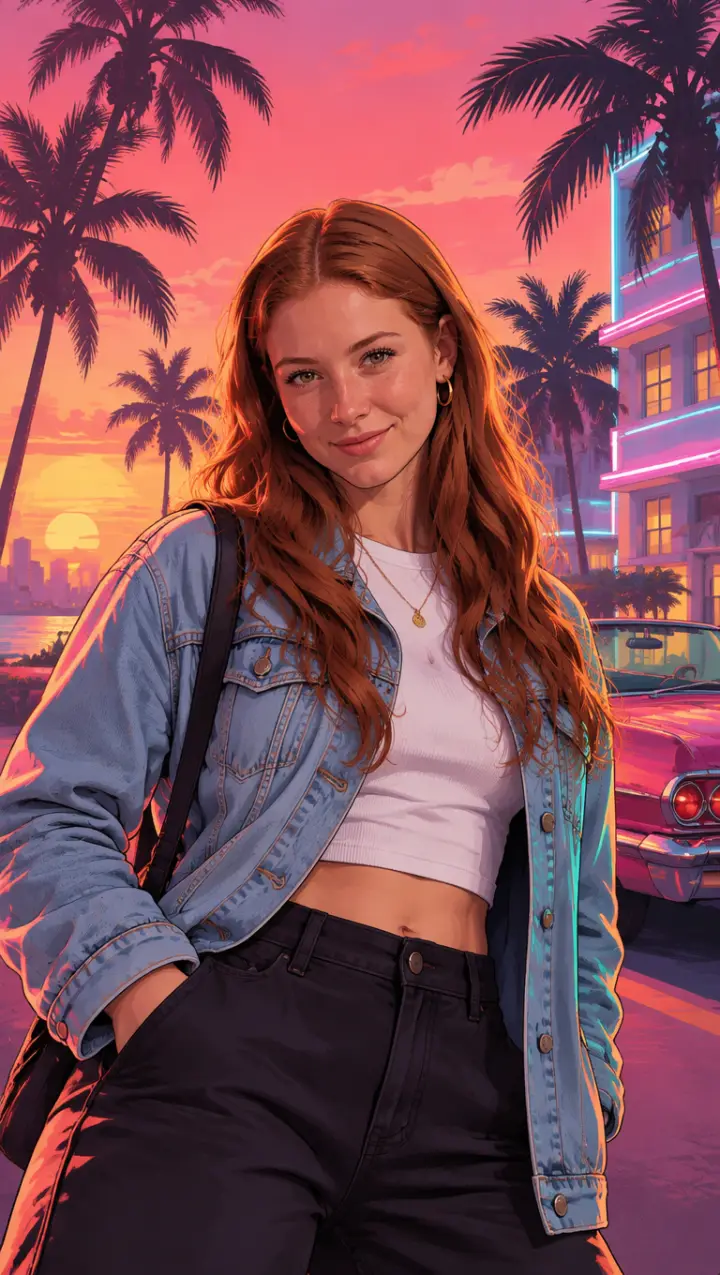
“Your GTA 6 loading screen” is a TikTok trend in which people turn a selfie into the art of a GTA 6 loading screen. The posts follow one pattern: the selfie is on screen for a moment, then it slides away and the same person appears as a painted portrait over a Vice City sunset, with palm trees, a classic car and pink and orange light behind them.
It began in September 2026, two months before the game came out, and kept going through the launch on November 19.
Where it started
Two posts from late September carried it:
- An AI version from @kels.lately92, posted on September 23: an eight-second clip in which her selfie turns into the painted loading screen. It passed 300,000 plays.
- A tutorial from @eg3bx1, posted the day before, explaining how to make one. It passed 270,000 plays and is set to Last Thing You Need by Morgan Wallen, from the game's own album.
Under both, the comments filled up with people posting their own and asking how to make one. Some said the template they tried wanted a paid plan, or did not work for them.
What makes a GTA 6 loading screen look right
A GTA loading screen is painted art, not a photo with a filter. The ones that read as GTA 6 share a few things:
- Clean outlines and painted shadows. A sharp line around the figure, smooth shading, shadows with hard edges.
- The Vice City sky. A pink-to-orange sunset, palm trees in silhouette, art deco hotels with neon trim.
- Rim light and violet shadows. A warm orange edge of light on the person and purple in the shade, the look of the game's promotional art.
- A pose with attitude. Waist up, a glance at the viewer, the confidence of a character on the box.
- Phone-shaped. Vertical, so it fills the screen on TikTok and works as a wallpaper.
What it does not need is the game's logo. The pictures people share most are about the person, and leaving the logo off keeps the art yours to post.
How to make your own GTA 6 loading screen
As a picture. Open the GTA 6 loading screen generator, add a photo of yourself (waist up, face to the camera, good light) and press the button. In about a minute you get the loading screen. Your first one is a preview with a watermark.
As a video, like the trend. On the GTA 6 AI video generator, pick the Loading screen template and add the same photo. The video starts on your photo and turns into the painted loading screen, then the palm trees sway and you turn to the camera.
With ChatGPT or Gemini. Attach your photo and use the loading screen prompt from our GTA 6 AI prompts page. Ask for the look, not the logo: prompts that ask for the game's title or its characters are the ones that get refused.
Ideas that work well
- Dress for Vice City. A loud shirt, sunglasses pushed up, gold hoops or a chain. The clothes in your photo are the clothes in the painting.
- Make it a pair. The Couple template on the GTA AI image generator puts two people from one photo on the same poster.
- Use it as the end card. Film your own intro, then cut to your loading screen, the way the trend does.
- Try night. Write “at night under neon” in the box beside your photo for a darker version.
Is it official?
No. The trend is made by fans, and so is this site: GTA 6 AI Video is an independent tool with no link to Rockstar Games or Take-Two. Every picture and video it makes is AI-generated, so switch on the AI label when you post.