
GTA AI Image Generator
Turn your photo into GTA 6 art. Pick a loading screen, cover art, a game character, a couple poster or you with a car, add one photo, and get your GTA AI photo in about a minute.
Your first photo is a free preview
Templates
GTA AI image templates
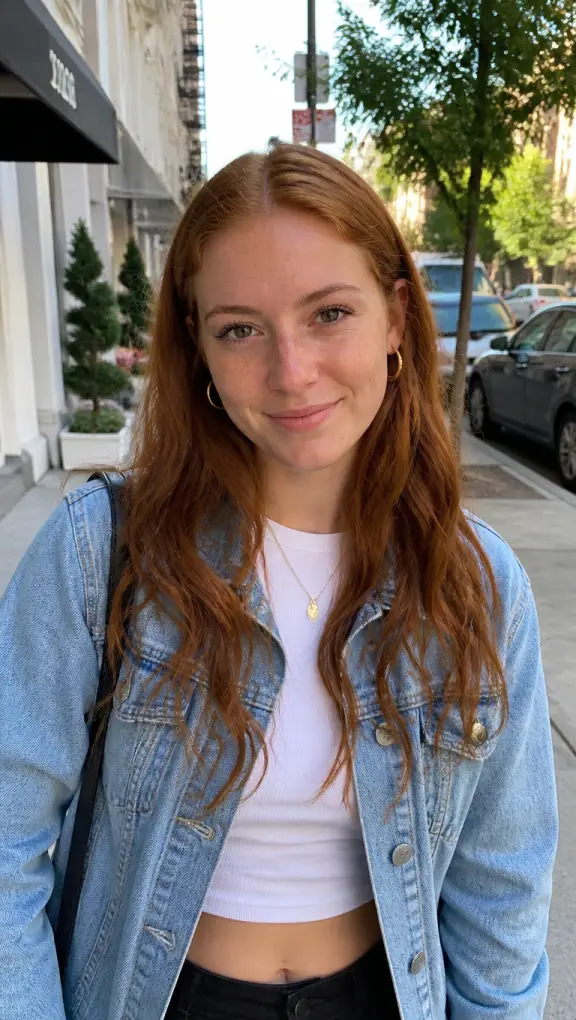
Five looks people ask for since GTA 6 came out. Each example was made here from one ordinary photo of a person who does not exist. Slide across the big picture above to see the photo it came from.
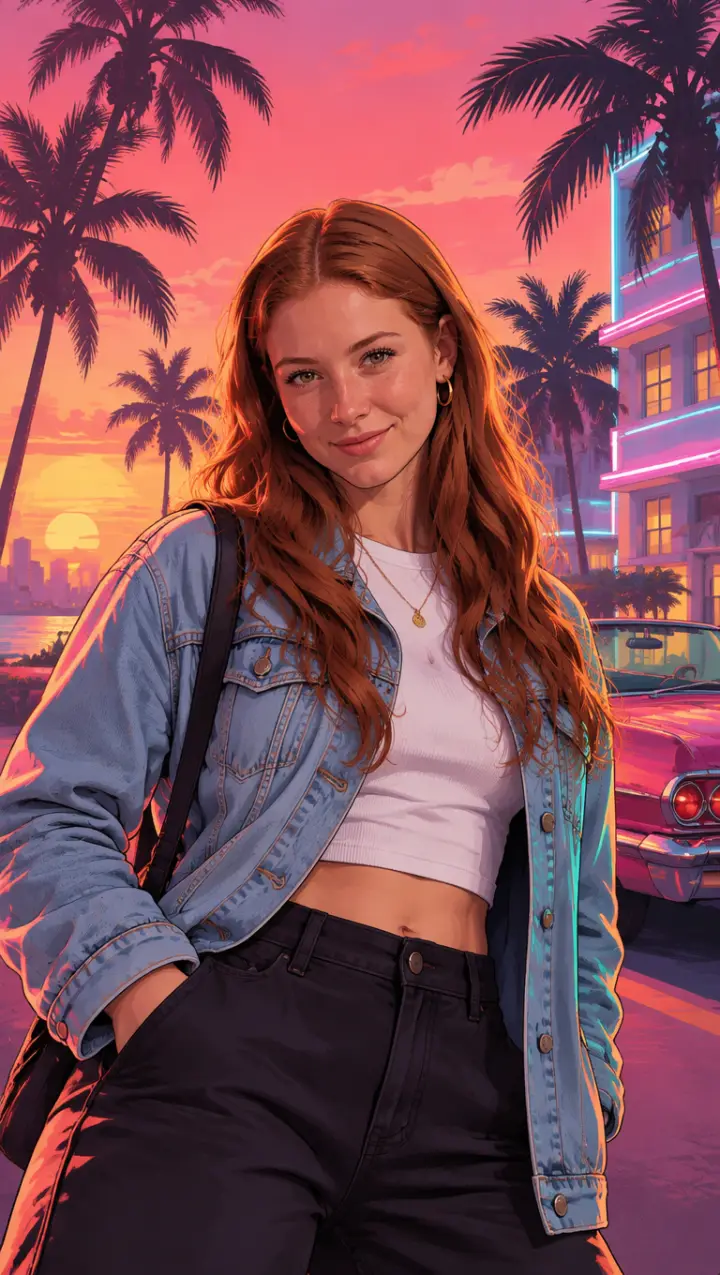
Loading screen
The look of the TikTok loading screen trend: you as a painted portrait over a pink and orange Vice City sunset, palm trees and a convertible behind you.
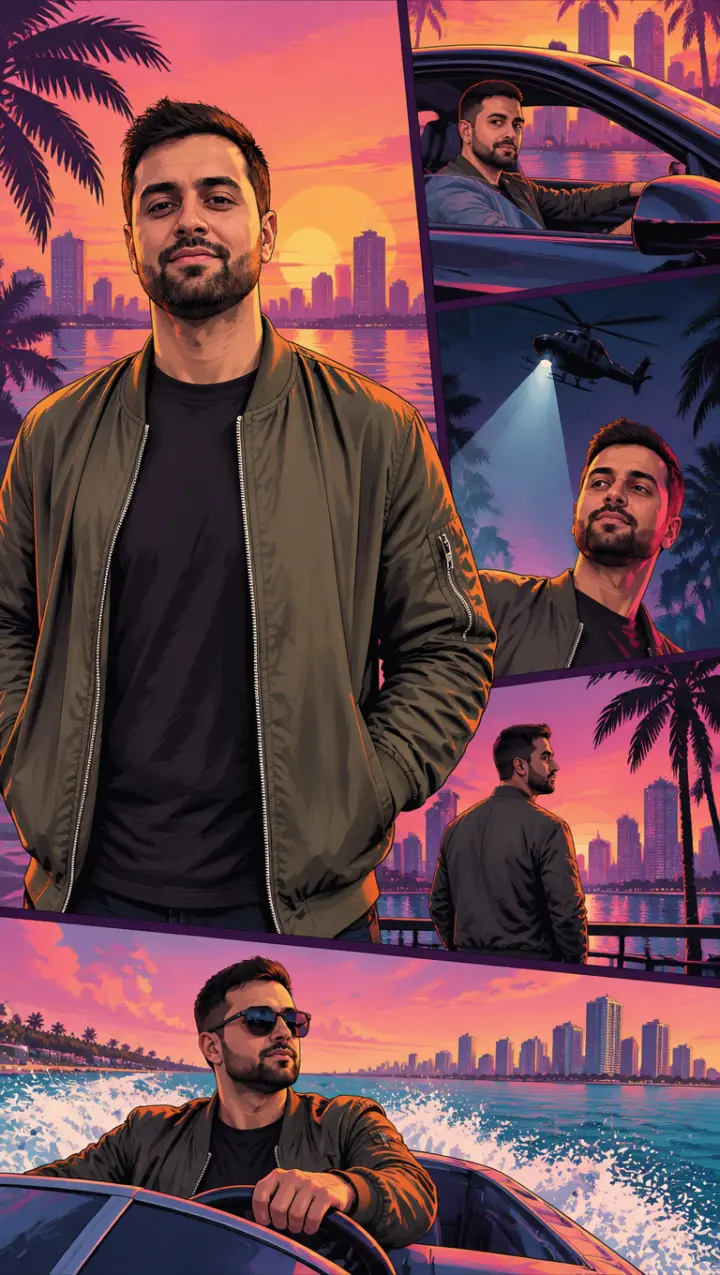
Cover art
The box art: you large in the middle, and small framed panels around you of the same story, behind the wheel, under a helicopter’s spotlight, on a boat.
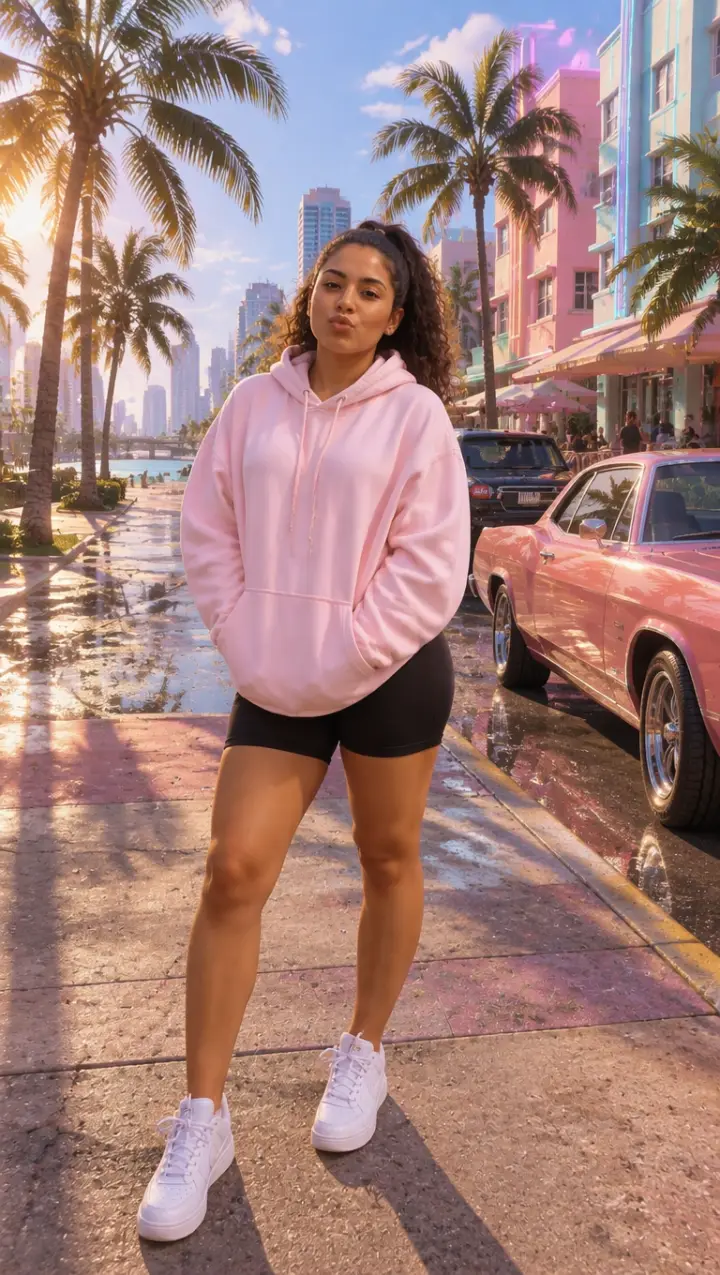
Game character
You as a playable character in the game’s own 3D look, full body, on a sunny Vice City street.
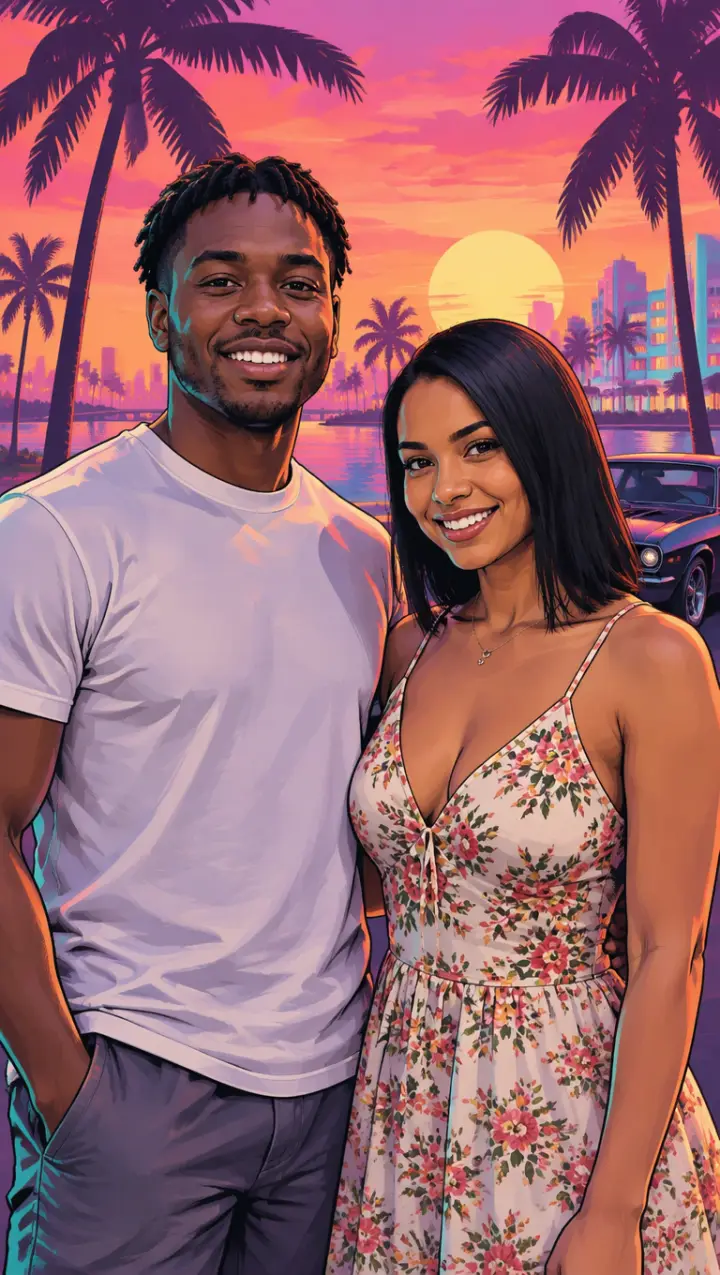
Couple
A photo of the two of you becomes the outlaw couple on a poster, side by side against a hot pink sunset.
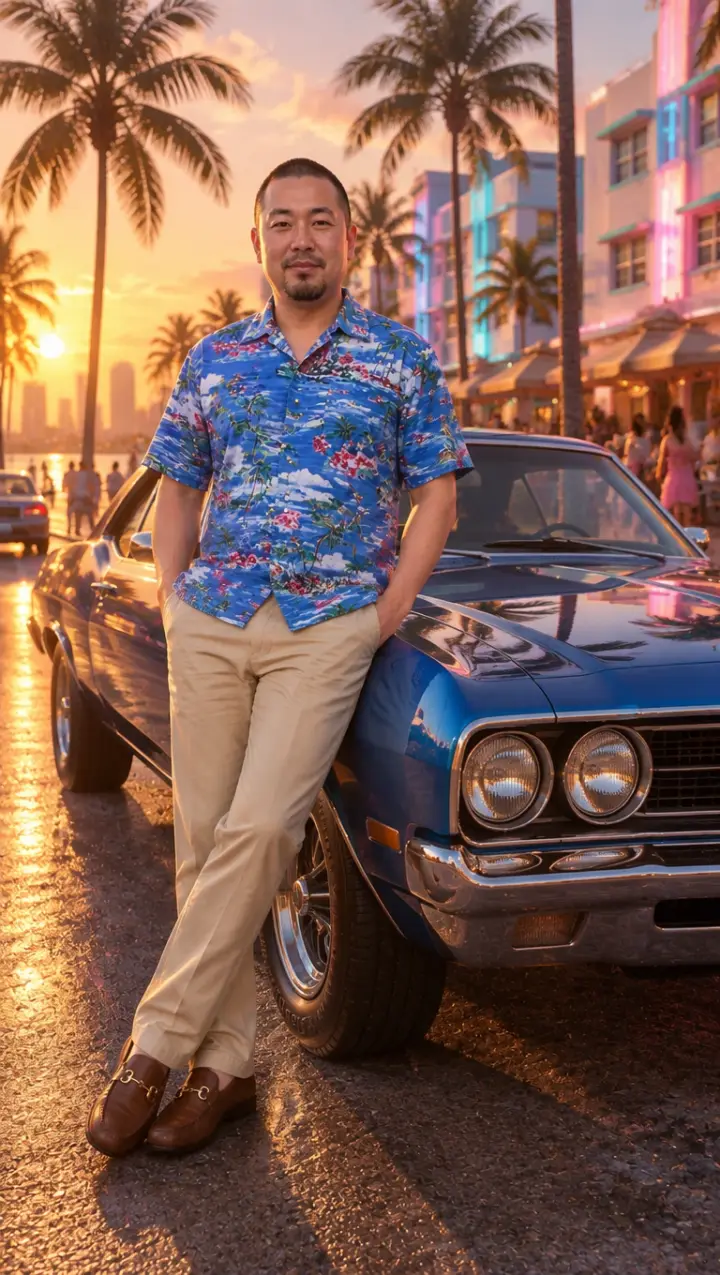
With a car
You leaning on a vintage muscle car on the ocean drive at golden hour, in the look of the game.
Three steps
How to turn a photo into a GTA AI image
No app and no prompt to write. The template sets the look and the scene; your photo sets who is in it.
- 01
Pick a template or write your own
Loading screen, Cover art, Game character, Couple or With a car. Or pick Your idea and say where you want to be in Vice City.
- 02
Add your photo
One person, face clear; for Couple, a photo of the two of you. In the box beside it you can ask for a white suit, a pink sports car or rain at night.
- 03
Download your GTA picture
It is ready in about a minute. Your first one is a preview with a watermark; pick a pack and the same picture comes out clean.
GTA filter
A GTA filter that redraws the whole photo
Most people searching for a GTA filter want what the TikTok and Instagram posts show: their own photo, turned into the art of the game. A camera filter can only lay colours and outlines over what is there. This GTA AI photo tool draws the picture again from your photo, so you get the game’s look, a new background and a pose that fits the template, with your face and clothes kept.
It works on any photo you already have, from your camera roll, on a phone or a computer. There is nothing to install and no filter to find inside an app.
GTA 6 style
The two GTA 6 styles you can pick
GTA art comes in two looks, and the templates use both. Pick the one that matches the post you have in mind.
The painted art: Loading screen, Cover art, Couple
The look of the game’s loading screens and box art: a crisp illustration with clean dark outlines, smooth shading, bold colour and hard sunlight, a confident pose, a pink and orange Vice City sky behind you.
The game itself: Game character, With a car
The look of the GTA 6 trailers: real-time 3D graphics, a sun-drenched Miami-like city, glossy cars, palm trees and warm, saturated light. You look like a character in the game.
More
More GTA 6 AI tools
Questions
GTA AI image FAQ
Can I try the GTA AI image generator before paying?
Yes. Your first GTA picture is a preview with a watermark, one per person. To download it without the watermark or make more, pick a pack; the preview then comes out clean as one of your photos.
Can I make a GTA picture of two people?
Yes. Pick Couple and use one photo with both of you in it, faces clear. Both of you go into the poster side by side.
What can I write in the box beside my photo?
With a template, small things about you or the moment: a white suit, gold chains, a pink sports car, rain at night; the template still sets the look. With Your idea, the scene itself in a few words, like “on a speedboat at sunset”. Anything not allowed is left out.
What happens to my photo?
It is used only to make your pictures and videos. It stays with what you made in My photos & videos and is deleted when you delete it; a photo you add and never use is erased within a day.
How do I remove the watermark?
Press Remove watermark under your preview and pick a pack. The watermark comes off that same picture, so you do not make it again.
Will it put the GTA logo on my picture?
No. The pictures carry no game logo, title or lettering, so nothing on them is Rockstar’s. Add your own caption when you post it.
Can I turn the picture into a video?
The video is its own tool, on the home page: the GTA 6 AI video generator redraws a clip of your own in GTA 6 style, or turns one photo into a loading screen, a sunset drive or a police chase that moves.
GTA 6 AI Video is an independent, unofficial fan tool. It is not affiliated with, endorsed by or sponsored by Rockstar Games, Take-Two Interactive or TikTok. Grand Theft Auto, GTA and GTA VI are trademarks of Take-Two Interactive; they are used here only to describe the look people ask for. No game footage, artwork or logos are used. Every video and picture made here is AI-generated: say so when you share it. Rights holders can write to support@gta6aivideo.app.