
What people mean by a GTA filter
Search for a GTA filter and you will see the same wish behind every result: make my photo look like GTA. On Instagram and TikTok that usually means one of two pictures:
- The painted look. You as the art of a GTA loading screen or cover: clean outlines, painted shadows, a Vice City sunset behind you.
- The game look. You as a character inside GTA 6: real-time 3D graphics, warm light, palm trees and pastel buildings.
A camera filter can lay colours and outlines over what is already in your photo. It cannot move you to Vice City, change the light or turn you into a painting. That is why the results people share are made with AI that draws the picture again.
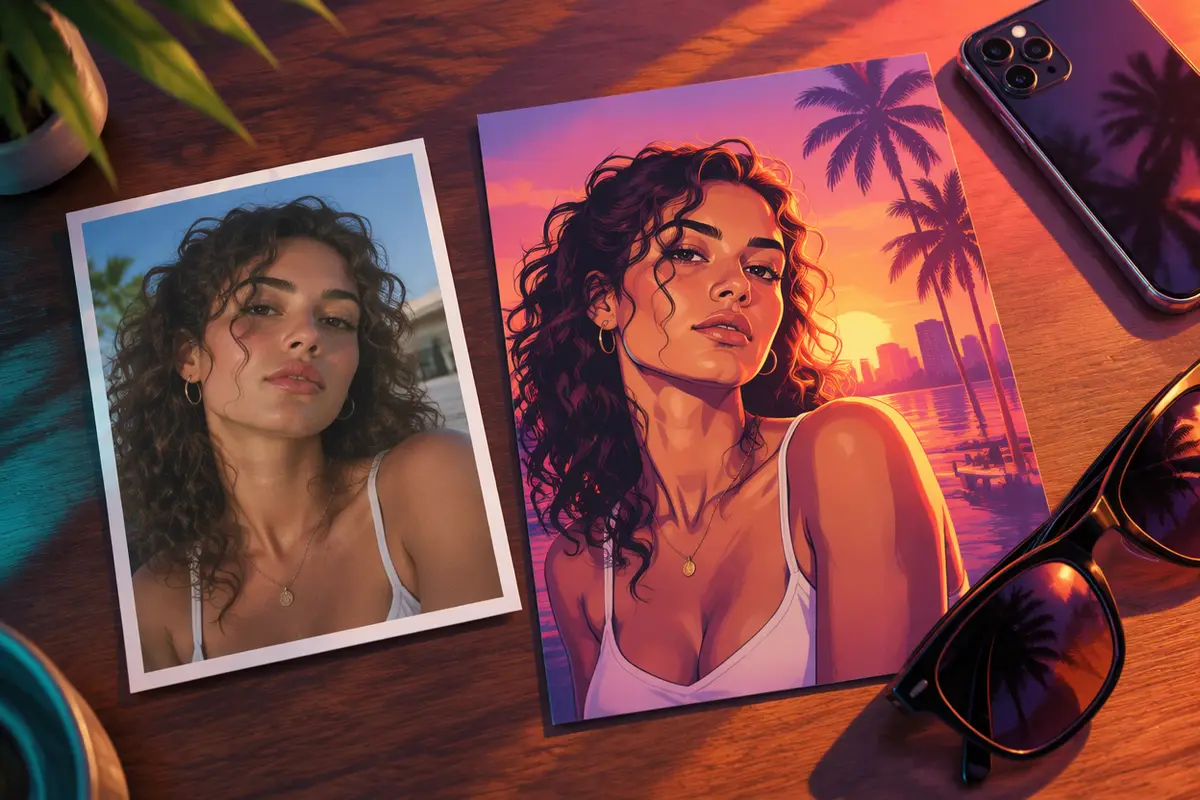
How to turn your photo into GTA art
- Open the GTA AI image generator.
- Add one photo: one person, face to the camera, good light. For two people, use one photo of both of you.
- Pick a look: Loading screen, Cover art, Game character, Couple or With a car. Or pick Your idea and write the scene, like “on a speedboat at sunset”.
- Press the button. The picture is ready in about a minute. Your first one is a preview with a watermark.
It keeps your face, hair and clothes from the photo and draws everything else again in the GTA look you picked.
Which GTA look to pick
| You want | Pick | What you get |
|---|---|---|
| The TikTok trend | Loading screen | A painted portrait over a pink Vice City sunset |
| A poster | Cover art | You in the middle, small panels of your story around you |
| To be in the game | Game character | You on a sunny Vice City street, in 3D game graphics |
| A post for two | Couple | Two of you on one poster at sunset |
| A car shot | With a car | You on a muscle car on the ocean drive at golden hour |
There are pages for the two most asked-for looks: the GTA 6 loading screen generator and turn yourself into a GTA character.
Tips for a better GTA photo
- A sharp, front-facing photo. The AI keeps the face it can see. Sunglasses over the eyes and heavy beauty filters get in the way.
- Dress the part. Your outfit carries over: a loud shirt, a chain, a white suit, a tank top.
- Ask for one small thing. The box beside your photo takes a detail: “pink sports car”, “at night in the rain”, “gold chains”.
- Pick one look. A painting and a game screenshot are different pictures. Asking for both at once gives you neither.
Can I use a GTA filter on a video?
Yes. The GTA 6 AI video generator does for a clip what the image tool does for a photo: add a video of up to 10 seconds and it comes back redrawn as GTA 6, with the same moves and sound. Or start from one photo and get a short scene that moves.
Can I see my GTA look before paying?
Yes. Your first picture on this site is a preview with a watermark, so you can see your GTA look before you pay. Some phone apps have GTA-style effects too; they work on the colours of your photo rather than drawing it again.
A note on logos
None of these pictures carry the game's logo or title, and none use its characters. GTA 6 AI Video is an independent fan tool, not linked to Rockstar Games. Add your own caption when you post, and switch on the AI label.