
GTA 6 AI Prompts
Copy a GTA 6 AI prompt into ChatGPT or Gemini with your photo attached, or press Make it here and run the same idea on this site in about a minute. Every prompt is sorted by the look it makes.
Copy or make it here
GTA 6 AI prompts for a loading screen
The picture from the TikTok loading screen trend: you, painted as the art of the game.
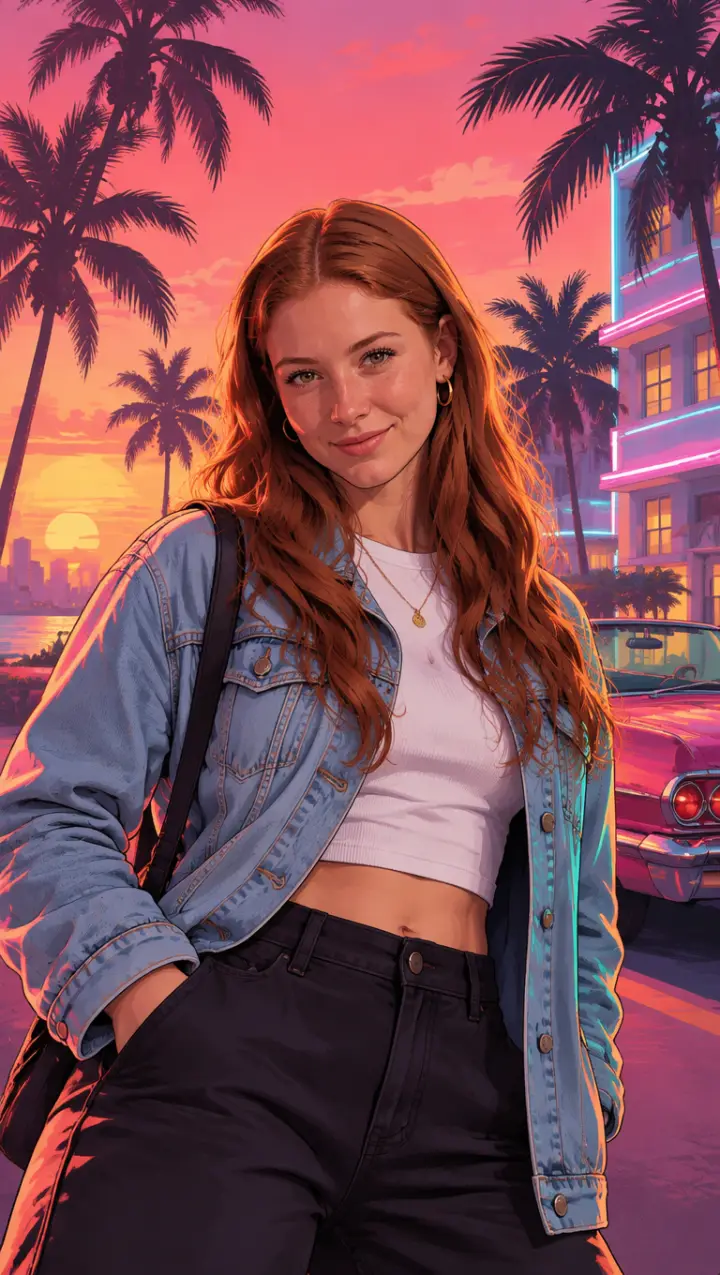
The loading screen portrait
The look of the TikTok trend: waist up, Vice City sunset behind you.
Turn the person in my photo into a GTA 6 style loading screen illustration. Keep their face, hair and outfit exactly. Waist-up portrait, glancing at the viewer with a confident look. Crisp digital painting with clean dark outlines, smooth cel shading, bold saturated colours and strong sunlight. Background: a pink and orange Vice City sunset, palm trees, an art deco hotel with neon trim and a classic convertible. Vertical 9:16. No text, no logos.
Loading screen at night
The same painted look under neon, for a darker post.
Make a GTA style loading screen of the person in my photo at night in Vice City. Keep their face, hair and clothes. They lean against a neon-lit wall, purple and pink neon signs reflecting on wet pavement, palm trees in silhouette. Comic-style digital illustration with bold outlines and cel shading, high contrast. Vertical 9:16. No text, no logos.
Loading screen on the beach
Sand, sun and a lifeguard tower: Vice Beach.
Create a GTA 6 loading screen artwork of the person in my photo on Vice City beach. Keep their face, hair and outfit. Sunglasses pushed up, relaxed pose, a lifeguard tower, turquoise sea and palm trees behind, a hot pink sky. Painted in the GTA loading screen style: clean ink lines, flat shading, saturated colour. Vertical. No text or logos.
Copy or make it here
GTA 6 AI prompts for cover art and posters
The box art and the posters: you in the middle, the story around you.
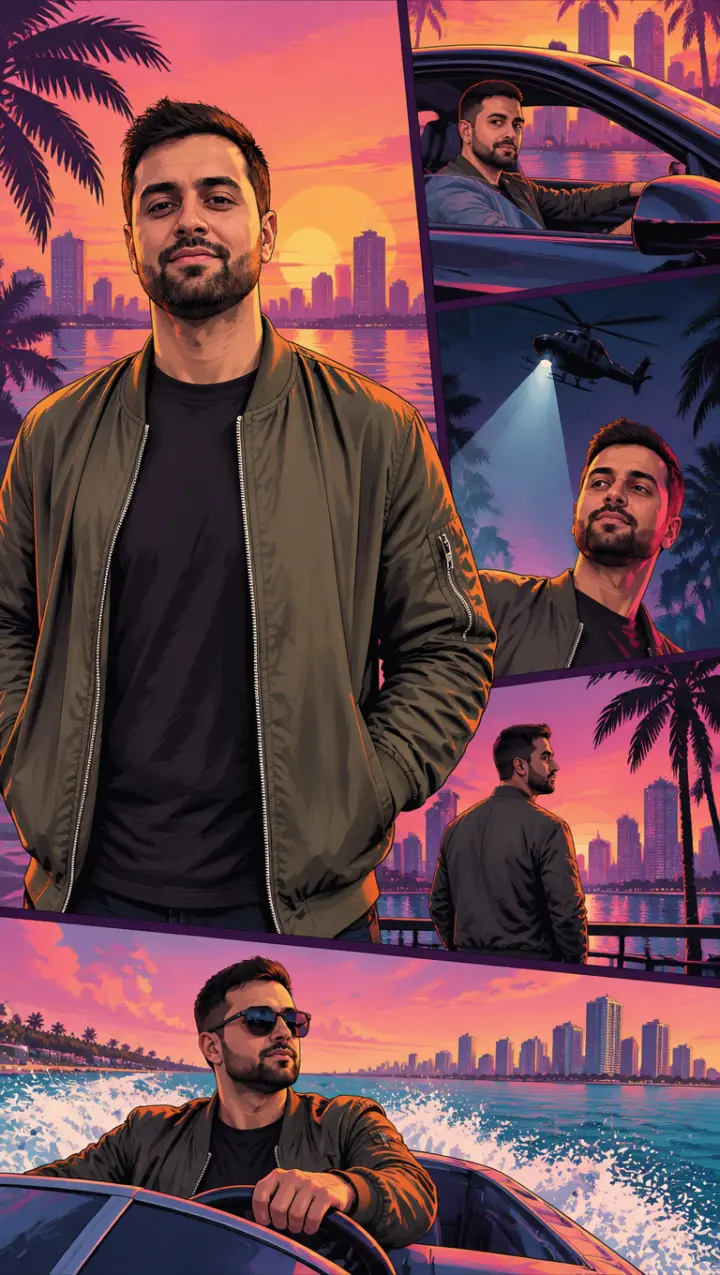
Cover art with panels
You large in the middle, small panels of your story around you.
Create a GTA style cover art poster starring the person in my photo. Keep their face, hair and clothes. They stand large in the centre; around them, smaller framed panels of the same person in action: driving a sports car, under a police helicopter spotlight, on a speedboat at sunset. Thin white borders between the panels. GTA loading screen art style with bold outlines and saturated colours. Vertical. No title text, no logos.
The cover girl poster
One figure, big and bold, the most asked-for poster.
Turn the woman in my photo into a GTA 6 cover girl poster. Keep her face, hair and outfit. Full figure, confident pose, one hand on her sunglasses, a pink and orange Vice City sunset, palm trees and a pastel art deco street behind her. Bold illustration style with clean outlines and cel shading, like video game key art. Vertical 9:16. No text, no logos.
Wanted poster
Stars over your head, without the game’s screen.
Make a GTA style “most wanted” artwork of the person in my photo. Keep their face, hair and clothes. Night in Vice City, red and blue police lights behind them, a helicopter spotlight from above, a cool look over the shoulder. Painted video game key art, bold outlines, high contrast. Vertical. No text, no logos, no weapons.
Copy or make it here
GTA 6 AI prompts for a game character
You as a character in the game, in its own 3D look.
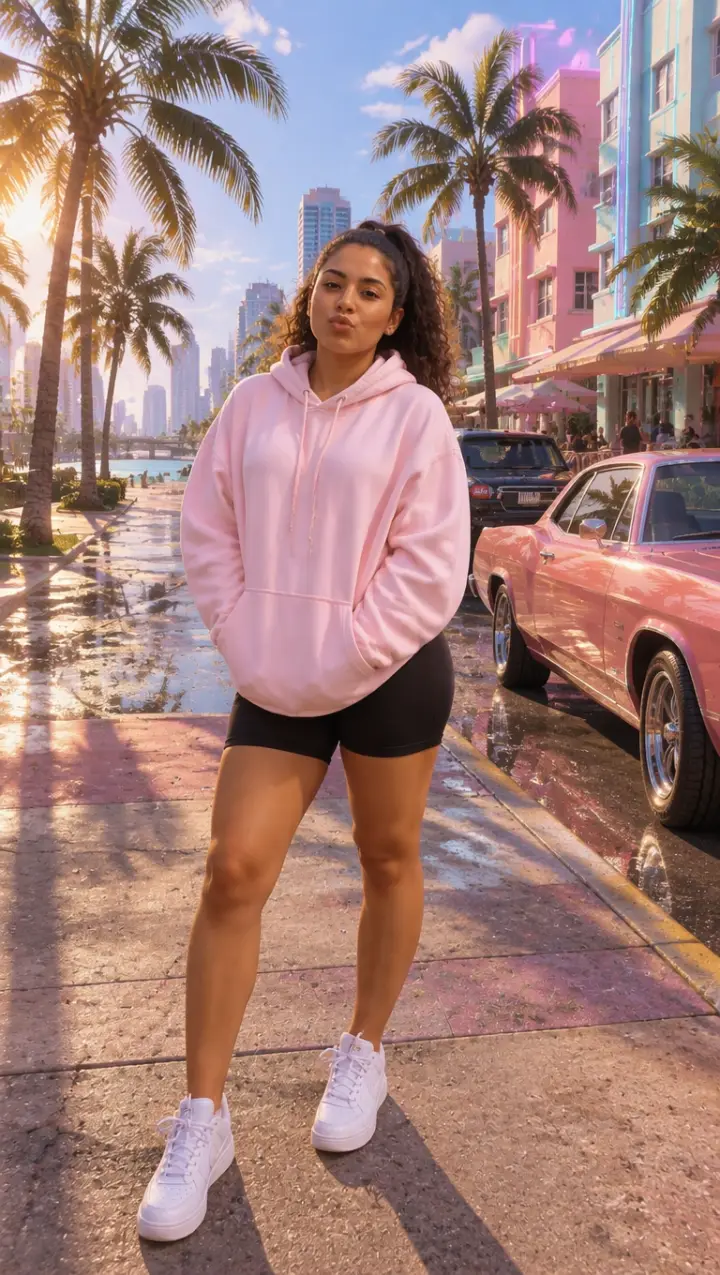
Playable character on the street
Full body, the game’s 3D graphics, a sunny street.
Turn the person in my photo into a playable GTA 6 character. Keep their face, hair, build and clothes. Full body, standing on a sunny Vice City street with palm trees, pastel buildings and parked cars. Photorealistic real-time 3D video game graphics, warm saturated colour grading, cinematic light. Vertical 9:16. No text, no interface.
Character select screen
Three poses of you, side by side.
Create a GTA style character select image of the person in my photo: the same person shown three times side by side in different poses (arms crossed, hands in pockets, looking back over the shoulder). Keep their face, hair and clothes. Photorealistic 3D game graphics, plain sunset gradient background. Horizontal 16:9. No text, no interface.
The Vice City boss
White suit, a yacht and the skyline.
Turn the person in my photo into a GTA 6 style Vice City boss. Keep their face and hair; dress them in a white suit with an open collar. Standing on the deck of a yacht with the Vice City skyline at sunset behind. Photorealistic open-world video game graphics, warm golden light. Vertical. No text, no logos.
Copy or make it here
GTA 6 AI prompts for couples
Two of you, the outlaw couple look of the GTA 6 trailers, without the game’s own characters.
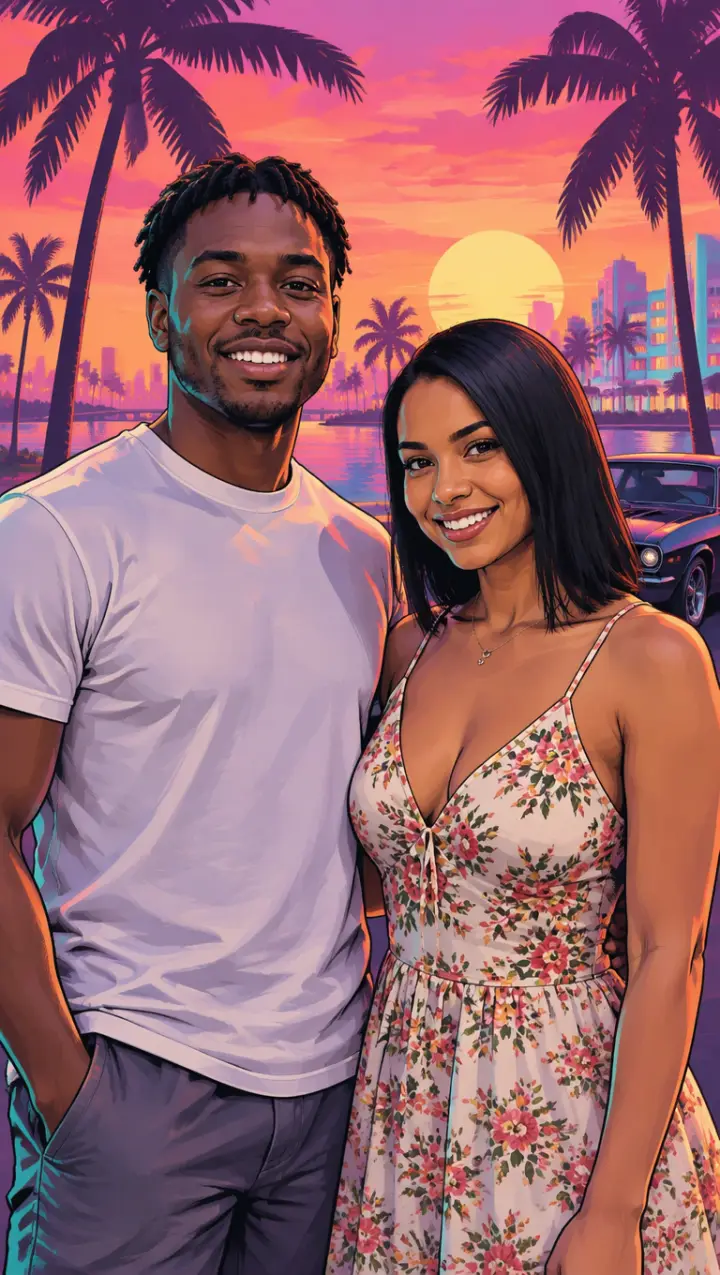
The outlaw couple
Use one photo of the two of you.
Turn the two people in my photo into a GTA 6 style outlaw couple poster. Keep both faces, hair and clothes. Side by side, close, cool and confident, against a hot pink Vice City sunset with palm trees and a muscle car. Painted GTA loading screen style with bold outlines and saturated colour. Vertical. No text, no logos.
Couple in a convertible
The two of you on the ocean drive.
Make a GTA 6 style image of the two people in my photo driving a red convertible along the Vice City ocean drive at sunset, top down, hair in the wind, palm trees passing. Keep both faces and outfits. Photorealistic video game graphics, warm light. Vertical. No text, no logos.
Copy or make it here
GTA 6 AI prompts for cars and Vice City
Cars, boats and the city itself.
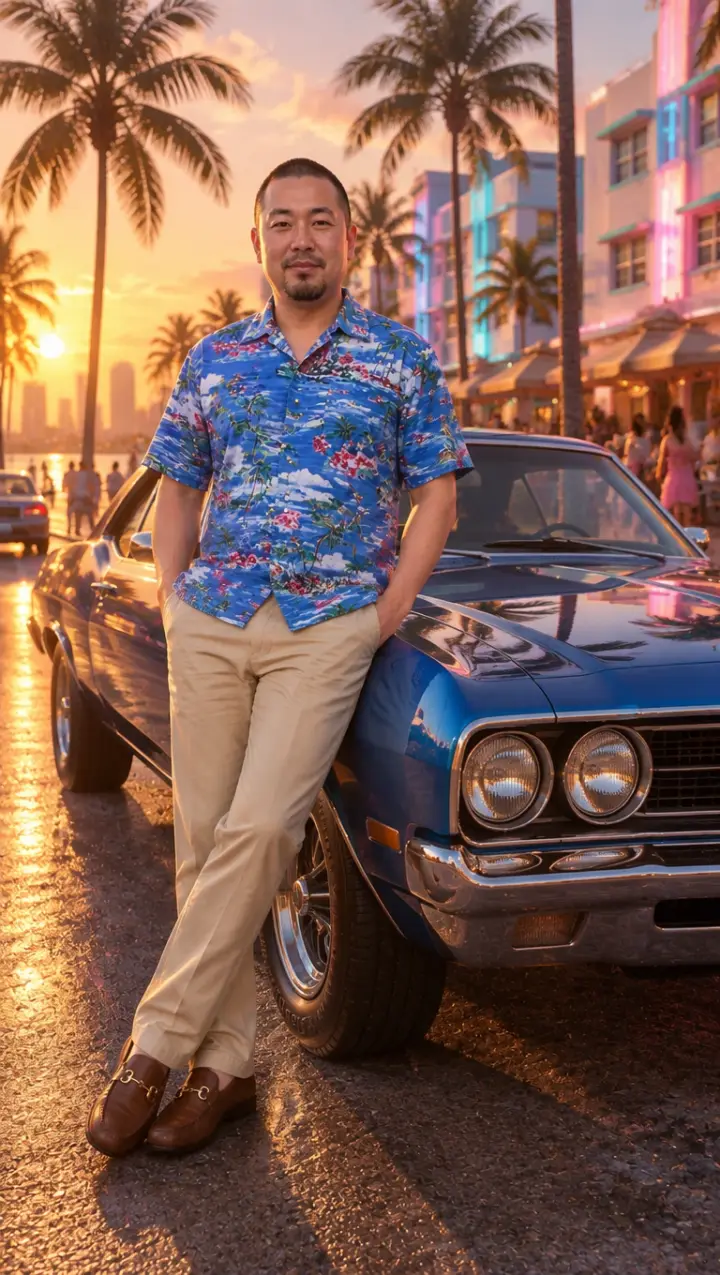
With a muscle car
Golden hour on the ocean drive.
Make a GTA 6 style image of the person in my photo leaning on the bonnet of a glossy vintage muscle car on an ocean drive at golden hour, palm trees and art deco hotels behind. Keep their face, hair and clothes. Photorealistic open-world game graphics, warm low light. Vertical. No text, no logos.
Speedboat at sunset
Spray, sun and the skyline.
Create a GTA 6 style image of the person in my photo at the wheel of a speedboat racing across the bay at sunset, spray behind, the Vice City skyline in the distance. Keep their face, hair and outfit. Photorealistic video game graphics, saturated colours. Vertical. No text, no logos.
Neon nightclub
Inside the club, lights on you.
Make a GTA 6 style image of the person in my photo inside a neon-lit Vice City nightclub, pink and blue lights, a crowd behind, a confident look at the camera. Keep their face, hair and clothes. Photorealistic game graphics with cinematic lighting. Vertical. No text, no logos.
Why they work
What makes a GTA 6 prompt work
The prompts above share four habits. Keep them when you write your own GTA 6 AI prompt.
Name the art, not the brand
Ask for “GTA style loading screen art” or “in the style of a Vice City video game”, and leave out logos, the game’s title lettering and its characters. Asking for those is what gets a prompt refused.
Say which GTA look
The painted loading-screen art (ink outlines, cel shading, bold colour) and the game’s own 3D graphics are two different pictures. Pick one in the prompt.
Give it Vice City
A pink and orange sunset, palm trees, art deco hotels with neon trim, a classic convertible or a muscle car: these make it read as GTA 6.
Keep the face
Tell it to keep your face, hair and clothes from the photo you attach, or it may draw someone else.
Three steps
How to use a GTA 6 AI prompt in ChatGPT
- 01
Open ChatGPT or Gemini
Both make images from a photo. Start a new chat so nothing from an earlier one changes the result.
- 02
Attach a clear photo of you
Face to the camera, good light, one person (two for the couple prompts). The prompt asks it to keep your face and clothes from this photo.
- 03
Paste the prompt and send
If the face drifts, reply “keep my face exactly as in my photo”. If it refuses, take out any game title or logo you added.
Video
GTA 6 AI video prompts
Two prompts for video tools: one restyles a clip, one brings a loading screen to life. The GTA 6 AI video generator on our home page does both from your clip or photo, no prompt needed.
Turn a clip into GTA 6
For a video tool that takes your clip.
Restyle this video as GTA 6 gameplay: keep every person, their moves, the camera and the timing exactly; redraw everything as photorealistic real-time 3D game graphics in sun-drenched Vice City, warm saturated colours. No text, no interface.
Bring a loading screen to life
For an image-to-video tool, starting from your loading screen picture.
Keep the painted GTA loading screen style. The palm trees sway in the evening wind, the neon flickers, a car’s headlights pass in the distance; the person slowly turns to the camera and smiles as the camera pushes in. No text, no logos.
Questions
GTA 6 AI prompt FAQ
What is the best GTA 6 ChatGPT prompt?
The loading screen portrait is the one most people are after: it makes the picture from the TikTok trend. Copy it, attach a clear photo and send. For the game’s 3D look instead, use the playable character prompt.
Do these prompts work in Gemini?
Yes. They are written in plain words that Gemini’s image model and ChatGPT both follow. Attach your photo in the same message as the prompt.
Is there a GTA 6 prompt for video?
There are two at the bottom of this page, one to restyle a clip and one to bring a loading screen to life. On this site the GTA 6 AI video generator does both without a prompt.
Why does ChatGPT refuse my GTA prompt?
Usually because it asks for the game’s logo, its title lettering or one of its characters by name. Ask for the look instead, “GTA style loading screen art” or “a Vice City video game”, and the same prompt goes through.
Can I run these prompts without ChatGPT?
Yes. Press Make it here under a prompt: the GTA AI image generator on this site opens with that look picked, or with the prompt in its Your idea box. Add your photo and you get the picture in about a minute.
GTA 6 AI Video is an independent, unofficial fan tool. It is not affiliated with, endorsed by or sponsored by Rockstar Games, Take-Two Interactive or TikTok. Grand Theft Auto, GTA and GTA VI are trademarks of Take-Two Interactive; they are used here only to describe the look people ask for. No game footage, artwork or logos are used. Every video and picture made here is AI-generated: say so when you share it. Rights holders can write to support@gta6aivideo.app.